
Claim the LTI Black Edition Bonus
Register, verify, deposit and opt in to claim the LTI Black Edition bonus of up to 100% on Black Friday. Real screenshots and a video for every step.
By LTI BLOG Team
Claim the LTI Black Edition Bonus
Want up to 100% extra on your deposit this Black Friday? This guide shows you exactly how to claim the London Trading Index (LTI) Black Edition bonus, with a real screenshot for every step.
It takes four steps:
- 1.Register your LTI account.
- 2.Verify your identity.
- 3.Deposit into a USD Core (Standard) account.
- 4.Opt in from Promotions > Black Edition.
▶ Watch: how to claim the LTI Black Edition bonus (75 seconds, with voiceover)
How much bonus can you get?
The bonus is a percentage of your most recent deposit before you opt in. Your tier depends on the day you opt in, in Cyprus time (GMT+2):
- 27 Nov (Black Friday): Bonus: 100% | When to opt in: Deposit and opt in on 27 Nov
- 28 Nov to 1 Dec: Bonus: 50% | When to opt in: Within 48 hours of your deposit
- 2 to 10 Dec: Bonus: 30% | When to opt in: Within 48 hours of your deposit
Black Edition bonus at a glance
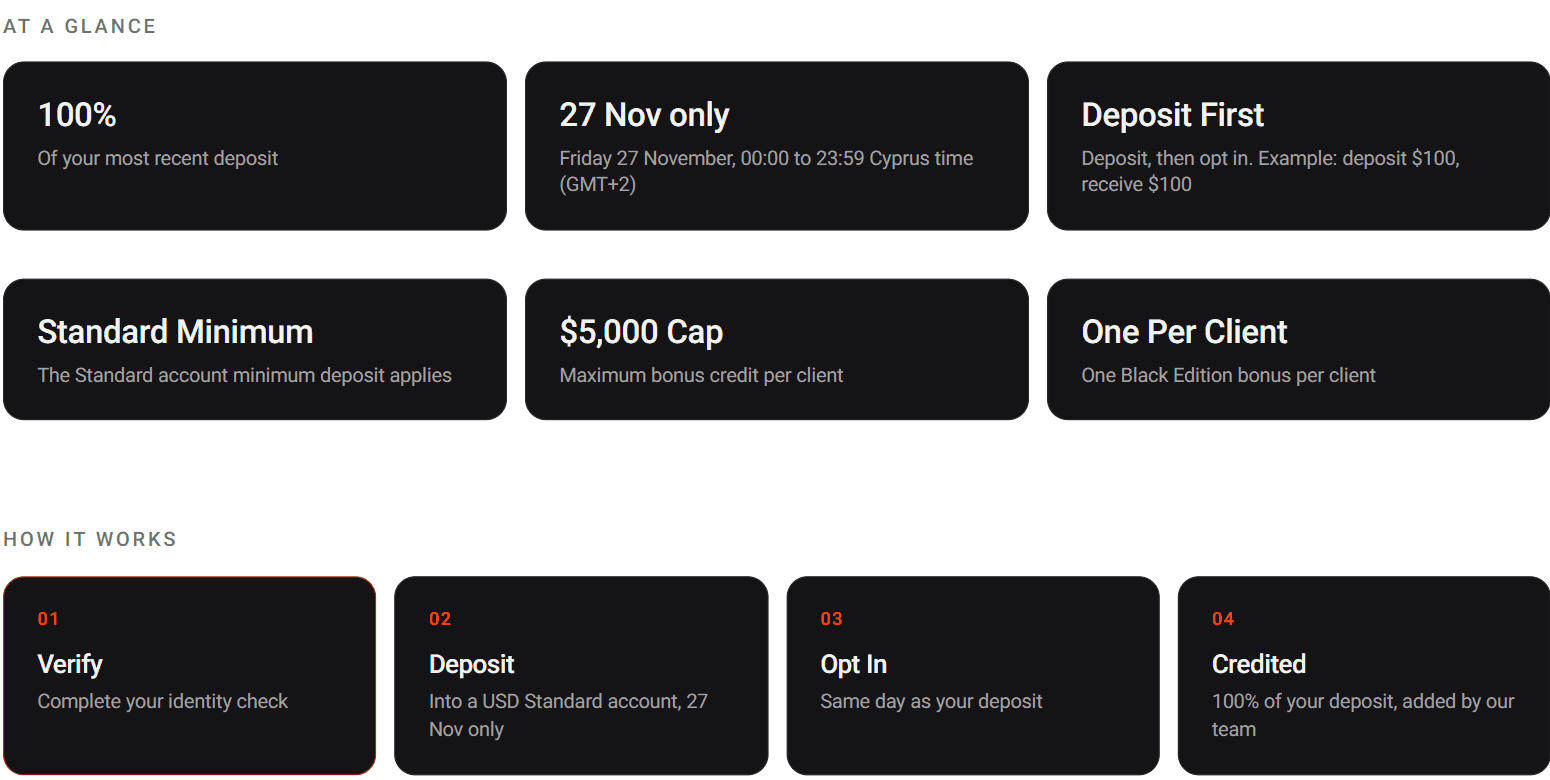
- 100% when you deposit and opt in on Black Friday, 27 Nov.
- 50% from 28 Nov to 1 Dec. Opt in within 48 hours of depositing.
- 30% from 2 to 10 Dec. Open to everyone, including new registrants. Opt in within 48 hours of depositing.
- All dates and times are Cyprus time (GMT+2). Your tier depends on the day you opt in.
- The bonus is a % of your most recent deposit before you opt in. The Standard account minimum deposit applies, and the cap is $5,000 per client.
- You must be verified and hold a USD Standard account.
- Open to new deposits and redeposits. Anyone who has ever had bonus credit from LTI is excluded.
- One bonus per client, paid as trading credit you can't withdraw.
- Claim it in your client area at Promotions > Black Edition. It walks you through verify, then deposit, then opt in.
- Every opt in is approved and credited by hand by our team.
Before you start
Have these ready and the whole process goes faster:
- An email address you can open right away
- Your mobile phone number
- A government ID for the identity check, and your phone or webcam for a selfie
- A payment method available in your country, such as crypto, a local e-wallet or UPI (minimum deposit 50 USD)
Step 1: Register your account
Go to the LTI registration page. The form is titled Create your account.
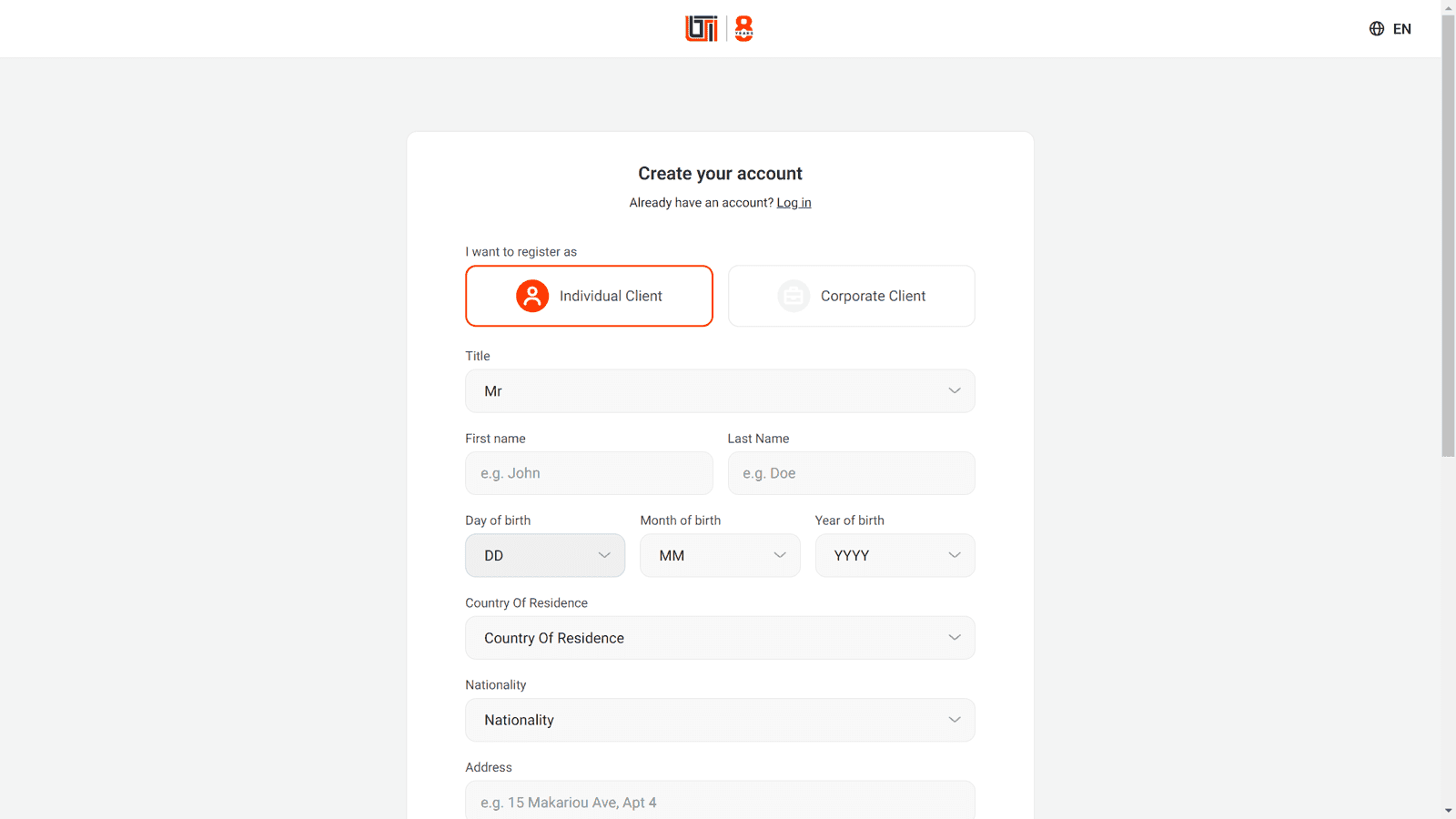
Fill in the form from top to bottom:
- 1.Keep Individual Client selected.
- 2.Pick your Title, then your First name and Last name exactly as on your ID.
- 3.Select your date of birth.
- 4.Choose your Country Of Residence and Nationality.
- 5.Type your Address.
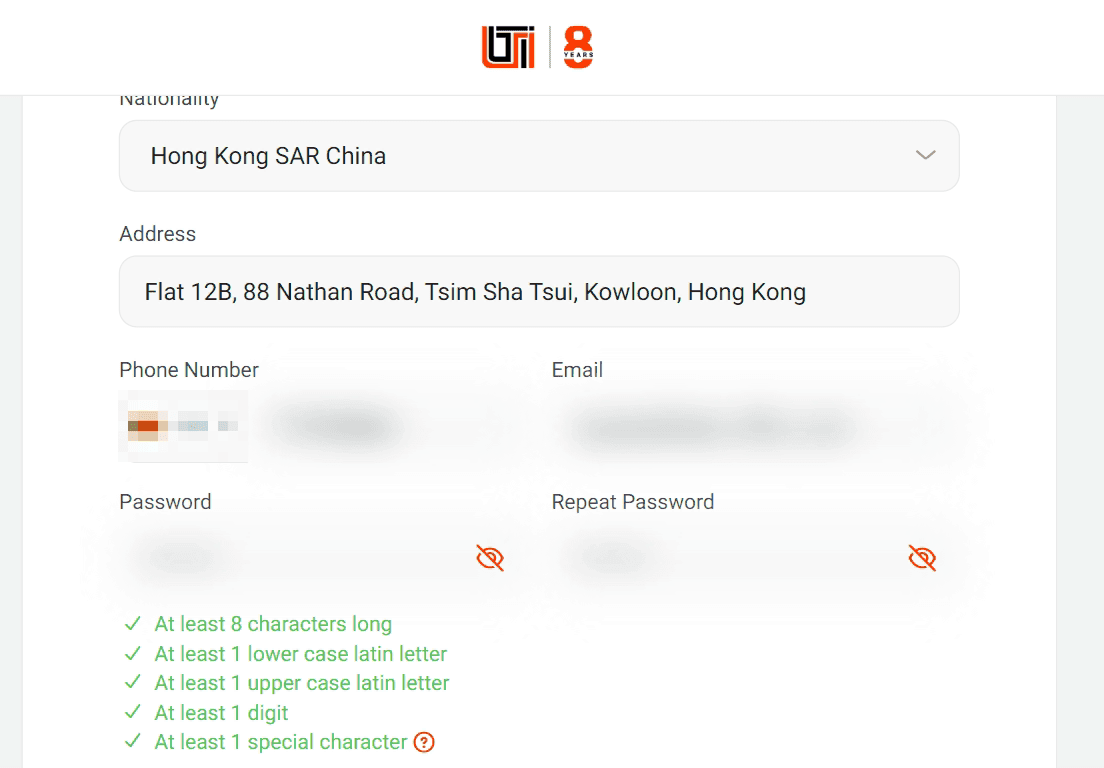
- 6.Check the dial code next to Phone Number matches your mobile, then type your number.
- 7.Enter your Email.
- 8.Create a Password and repeat it. The checklist turns green when it's strong enough.
- 9.Complete the security check, tick I accept the Terms and Conditions, and click Continue.
Step 2: Verify your identity
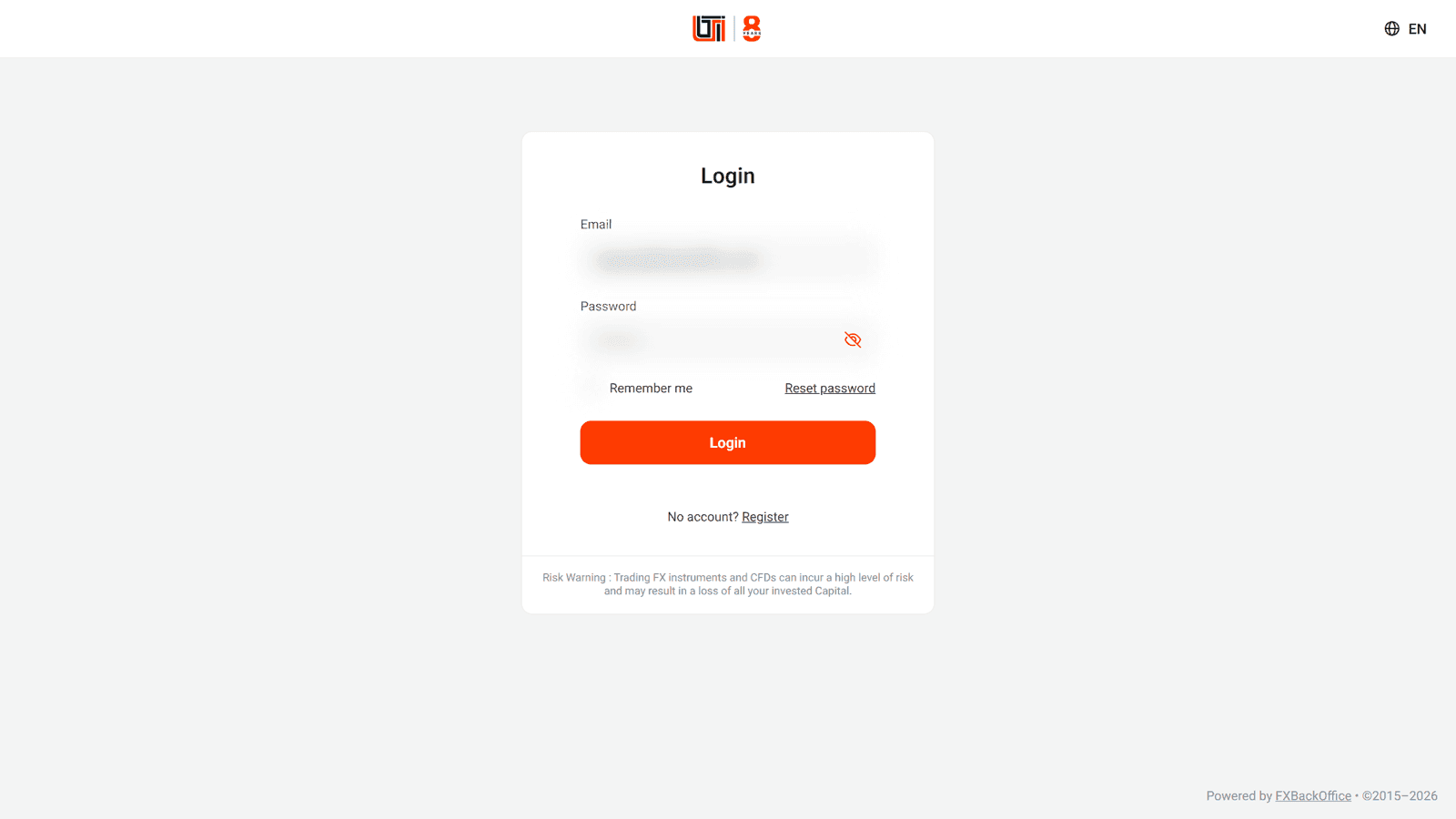
Log in to the client area with your email and password.
Click Verify Now (or go to Profile > SumSub Verification) and click Continue. The check has two parts:
- Upload an identity document
- Take a selfie
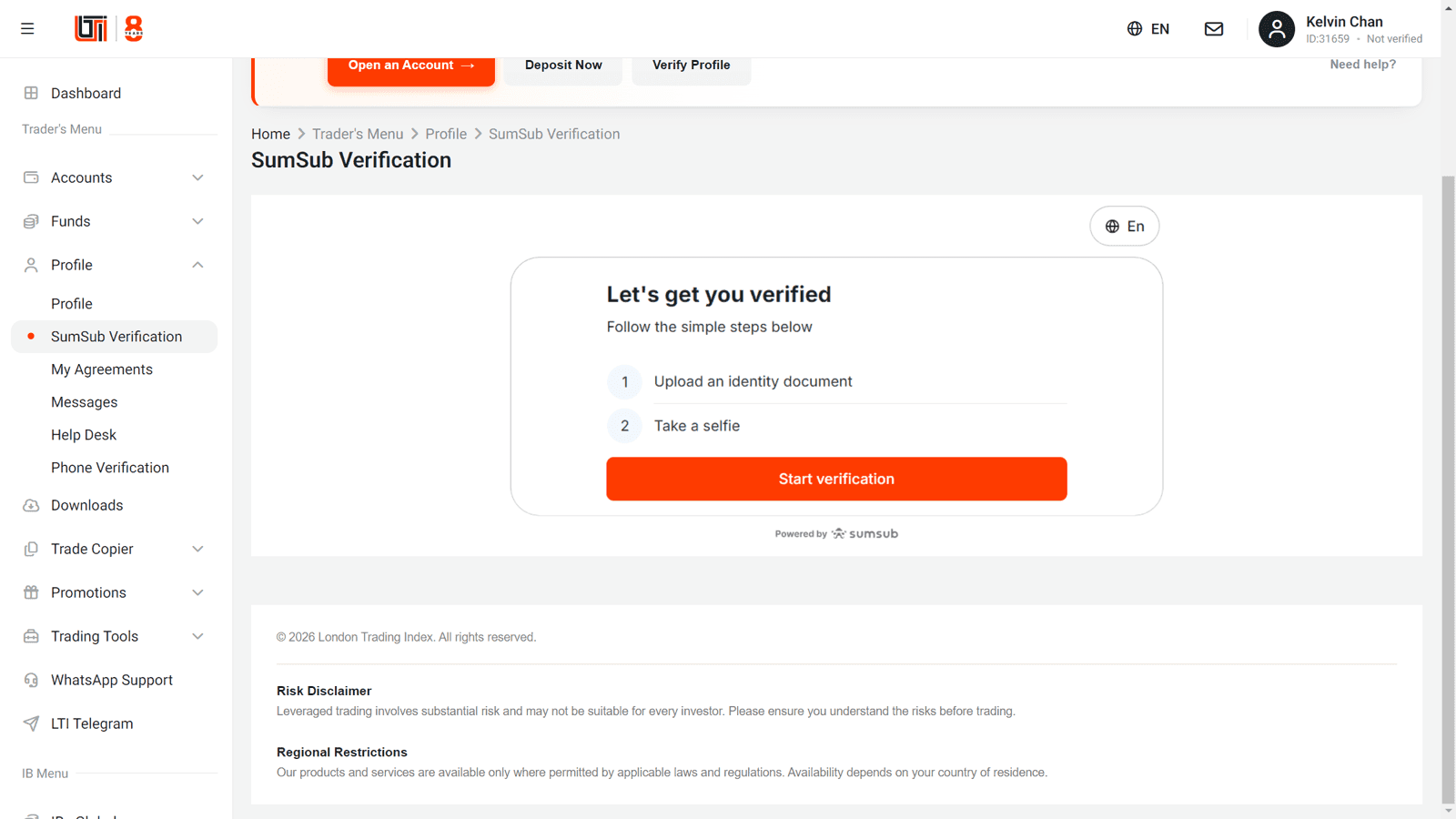
Click Start verification, confirm your country of residence, click Agree and continue, and follow the prompts. Curious what happens behind the scenes? Read how KYC verification works at LTI.
When you're approved, your name shows Verified and the dashboard shows a Black Friday banner with a View Promotion button.
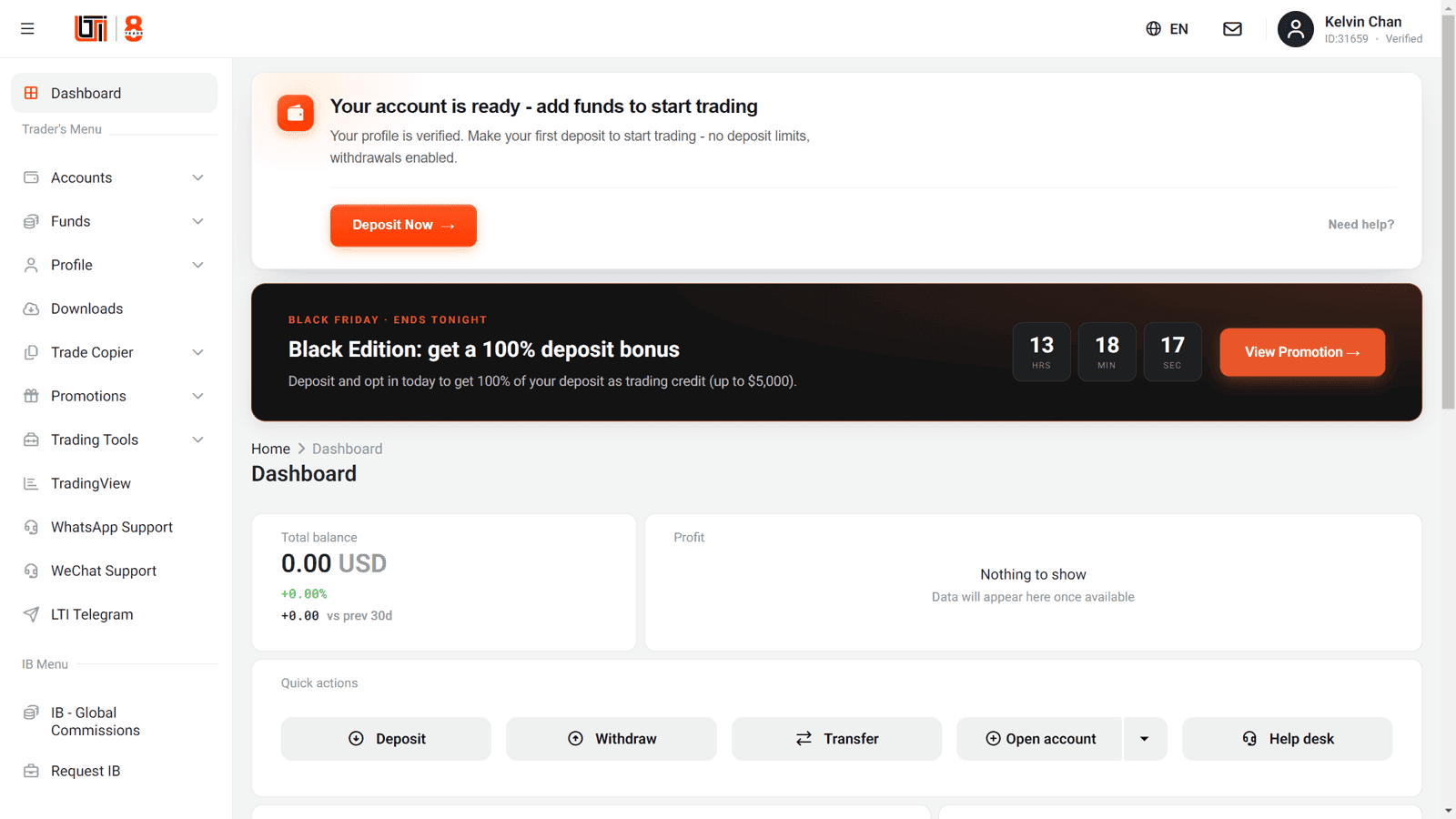
Tip: you can open accounts and deposit before you're verified, but the Black Edition bonus needs an approved check first. Verify early so you don't miss your tier.
Step 3: Deposit into a USD Core (Standard) account
▶ Watch: how to deposit and claim the Black Edition bonus (42 seconds, with voiceover)
Open the promotion. Click View Promotion, or go to Promotions > Black Edition 100% Bonus. Once you're verified, it shows Step 2 of 3, Deposit first.
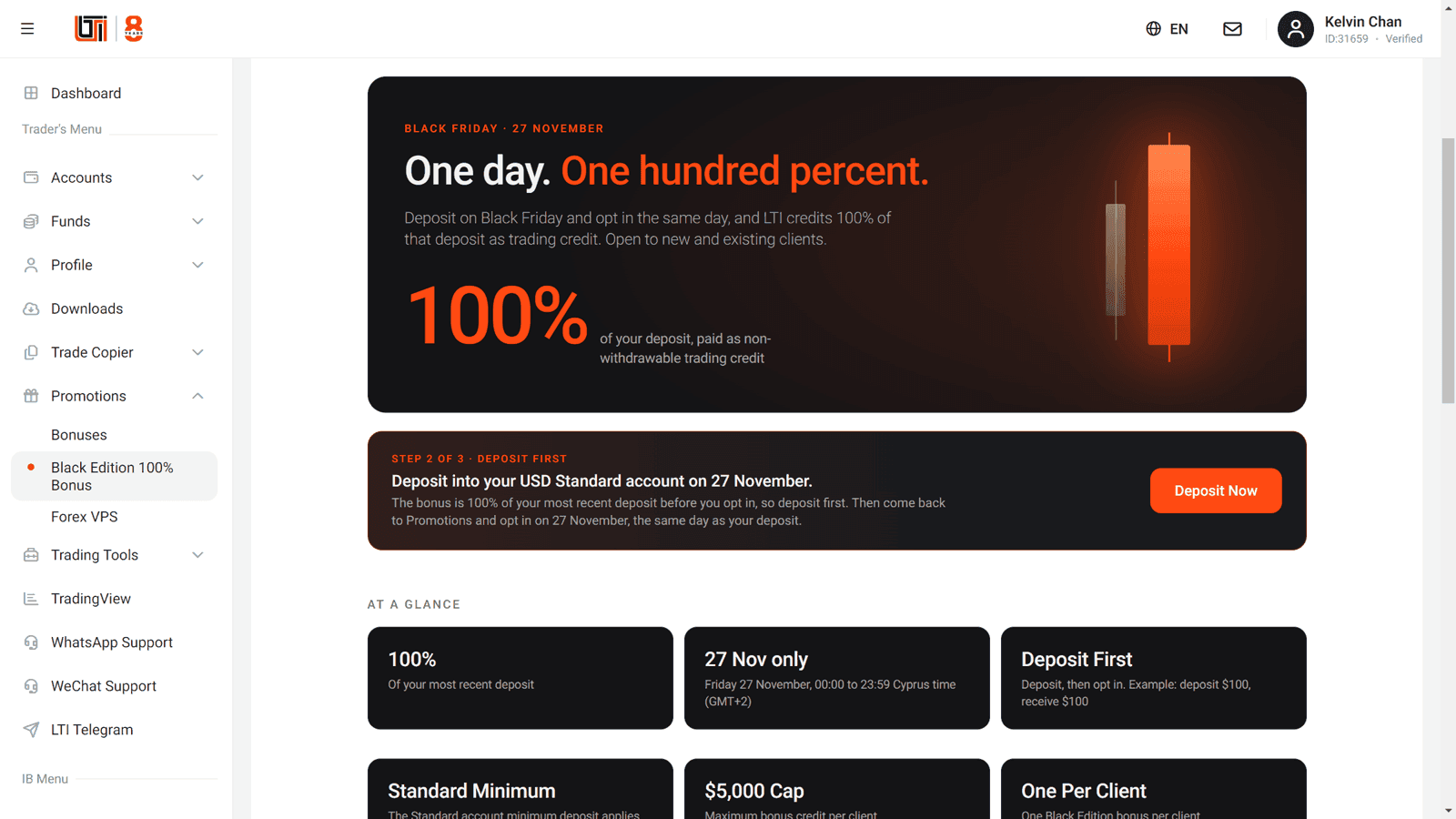
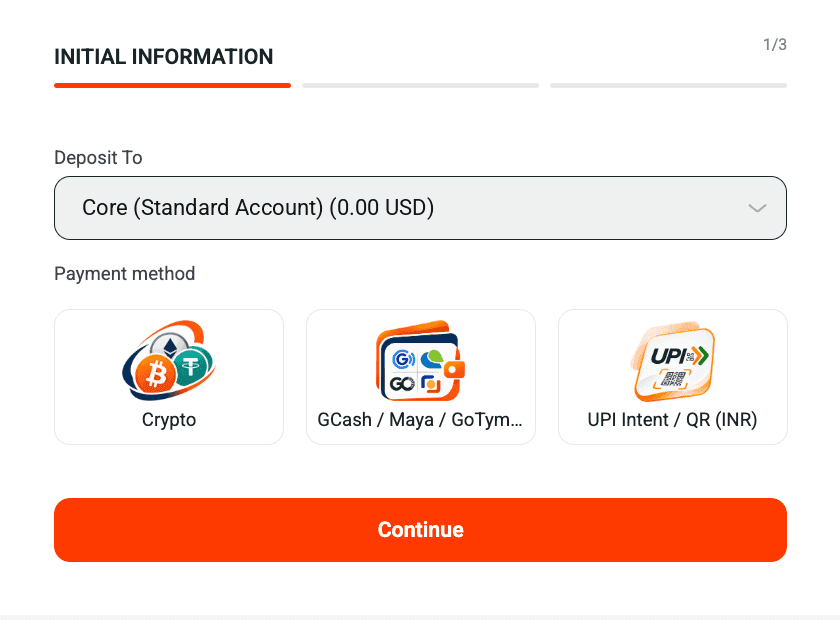
Click Deposit. On the Black Edition page, click Deposit. This opens Deposit Funds. Under Deposit To, choose your Core (Standard) Account (not the Wallet), then pick a Payment method and click Continue. The methods you see depend on your country, for example crypto, local e-wallets such as GCash, Maya or GoTyme, or UPI in India.
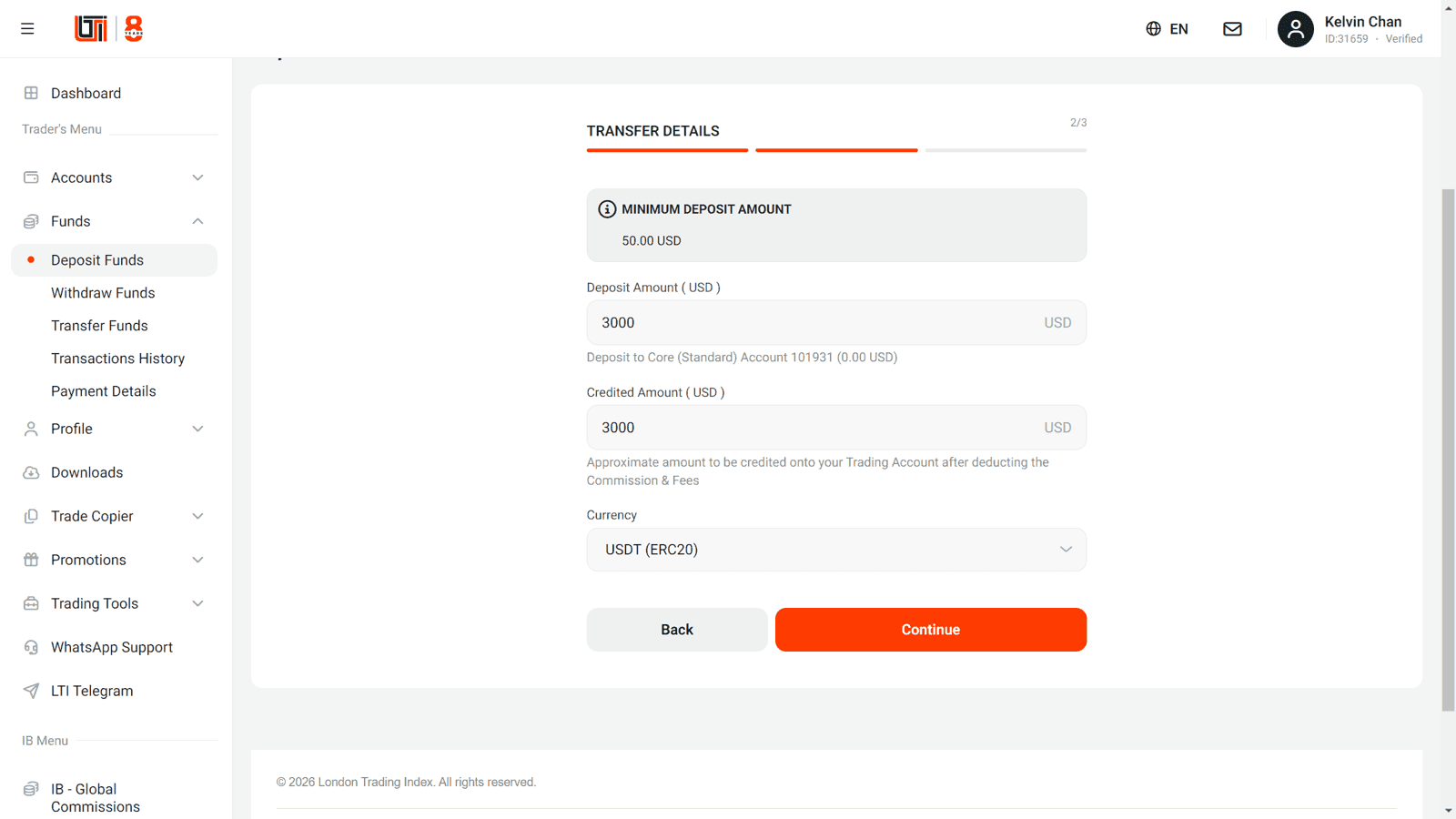
Enter your amount in USD (minimum 50 USD) and follow the steps for the method you chose. Paying by crypto? Pick the coin and network your wallet uses, for example USDT on TRC20, ERC20 or BEP20.
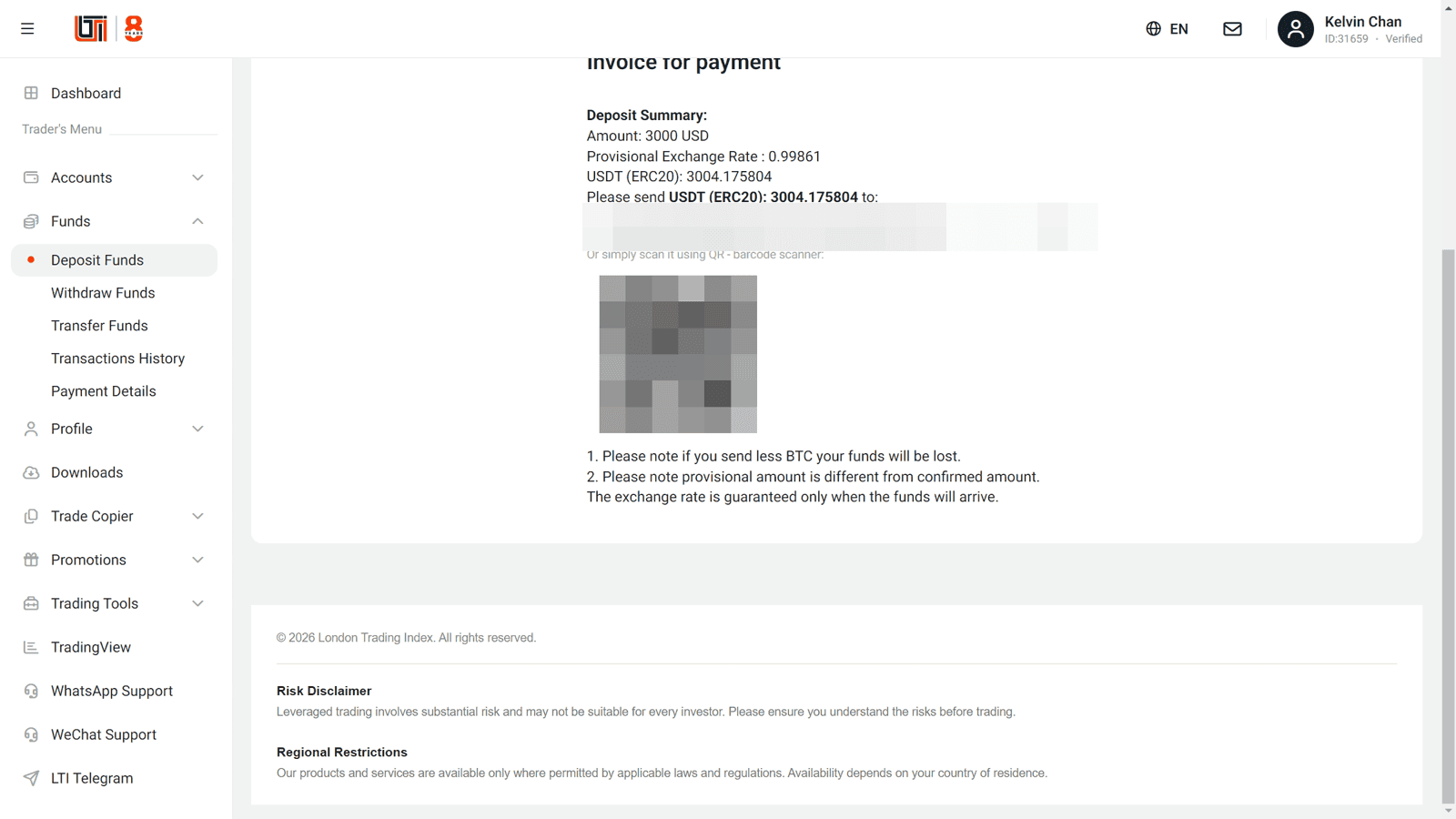
For crypto, click Continue to get your Invoice for payment and send exactly the amount shown, on the network you chose, to the address on the invoice. Other methods take you to that provider's own payment steps. More on funding your account: deposits and withdrawals at LTI.
Step 4: Opt in
Once your deposit shows in your account, go back to Promotions > Black Edition 100% Bonus and click Opt in. Terms and Conditions apply, and you'll see them when you opt in. For the 100% tier, opt in on 27 November, the same day as your deposit.
What happens next?
Our team checks your deposit date and amount, then credits your bonus by hand. It's added as trading credit for trading and margin. You can't withdraw it, a trading volume requirement applies, and your own deposited funds are used first.
Frequently asked questions
Who can't claim the Black Edition bonus? Anyone who has ever received bonus or promotional credit from LTI, and clients who aren't verified. One Black Edition bonus per client.
How much can I get? A percentage of your most recent deposit before you opt in, up to $5,000. For example, deposit $100 on 27 Nov and opt in the same day to receive $100.
Can I withdraw the bonus? No. It's trading credit you can't withdraw, and a trading volume requirement applies.
Which account do I need? A USD Core (Standard) live account. The minimum deposit is 50 USD.
How do I deposit? Go to Funds > Deposit Funds and choose your Core (Standard) account. The payment methods shown depend on your country, for example crypto, local e-wallets such as GCash, Maya or GoTyme, or UPI in India. Pick one, enter the amount (minimum 50 USD) and follow the steps on screen.
Which time zone counts? Cyprus time (GMT+2). Your tier is set by the day you opt in.
I missed Black Friday. Can I still claim? Yes. Opt in from 28 Nov to 1 Dec for 50%, or from 2 to 10 Dec for 30%, within 48 hours of your deposit.
Do existing clients qualify? Yes, for new deposits and redeposits, if you're verified, hold a USD Core (Standard) account and have never had LTI bonus credit.
When is the bonus credited? After our team checks and approves your opt in. Every opt in is reviewed by hand.
Ready to claim?
Open your London Trading Index account and claim your Black Edition bonus today.
See all current offers on the LTI promotions page.
Questions? Contact [email protected] or open a ticket in the client help desk.
Trading in foreign exchange (forex), contracts for difference (CFDs), and other leveraged financial instruments involves a high degree of risk and may not be appropriate for all investors. You should only trade with funds that you can afford to lose without adversely affecting your financial position.
Bonus credit is non withdrawable. Terms and Conditions apply.
*This article is general information about CFDs, leveraged products and instruments, and trading. It is not investment advice, a recommendation, or an offer to trade, and it does not take account of your objectives, financial situation or needs. Refer to the footer for the full disclaimer, terms and policies.
Related Articles
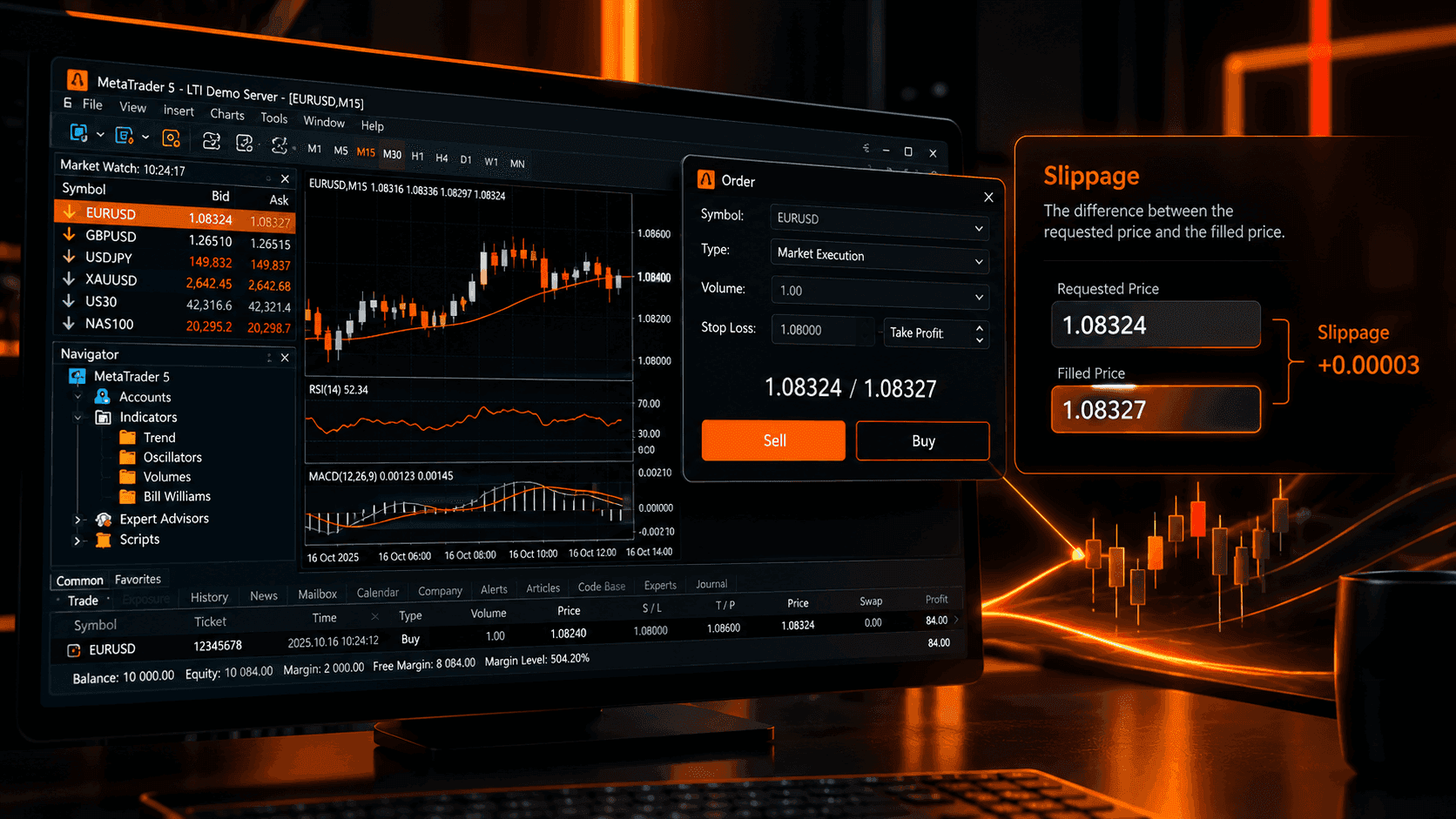
What Slippage Is and When It's More Likely to Happen
Slippage happens when price moves between order and execution, not broker manipulation. Here's when it's more likely and how it can cut both ways.
Read Article
Mobile vs. Desktop MT5: Does the Platform You Trade On Matter?
Mobile and desktop MT5 show the same prices and execute the same trades. Here's how each affects your discipline and the decisions you make.
Read Article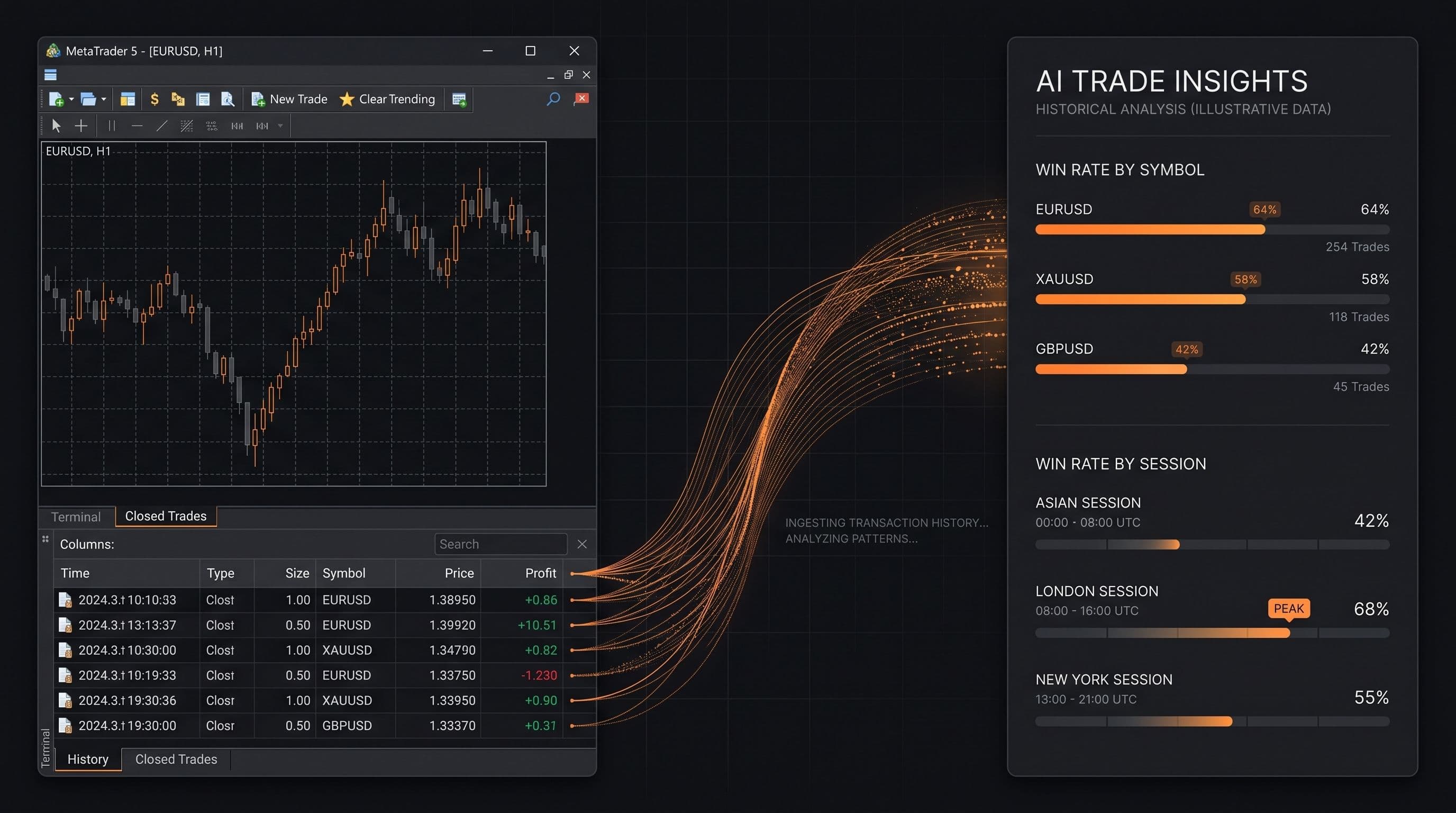
How to Build an AI Trading Journal That Fills Itself
Paid trading journals charge monthly and still make you import trades by hand. Here is how to build the same journal for free, straight from your MT5 history, using an AI assistant via MCP.
Read ArticleCreate Your Account
Account opening happens in the client area, and takes a couple of minutes.
*Opening an account finishes in the secure client area, where these details carry across. Already registered? Sign in, or talk to us first.
CFDs are complex instruments and come with a high risk of losing money rapidly due to leverage. 73% of retail investor accounts lose money when trading CFDs. You should consider whether you can afford to take the high risk of losing your money.