
How to Build an AI Trading Journal That Fills Itself
Paid trading journals charge monthly and still make you import trades by hand. Here is how to build the same journal for free, straight from your MT5 history, using an AI assistant via MCP.
By LTI BLOG Team
How to Build an AI Trading Journal That Fills Itself
Every serious trader eventually hits the same wall: you know keeping a journal would make you better, and you know you're not going to keep pasting screenshots into a spreadsheet every evening. That's the gap TradeZella, TradesViz, TraderSync and Journali were built to close, and thousands of traders pay a monthly subscription for it.
But look at what has to happen first. You export your trade history from your broker, often as a CSV, import it, tag it, and wait for the sync to finish before you can ask anything. The journal is only ever as current as your last import.
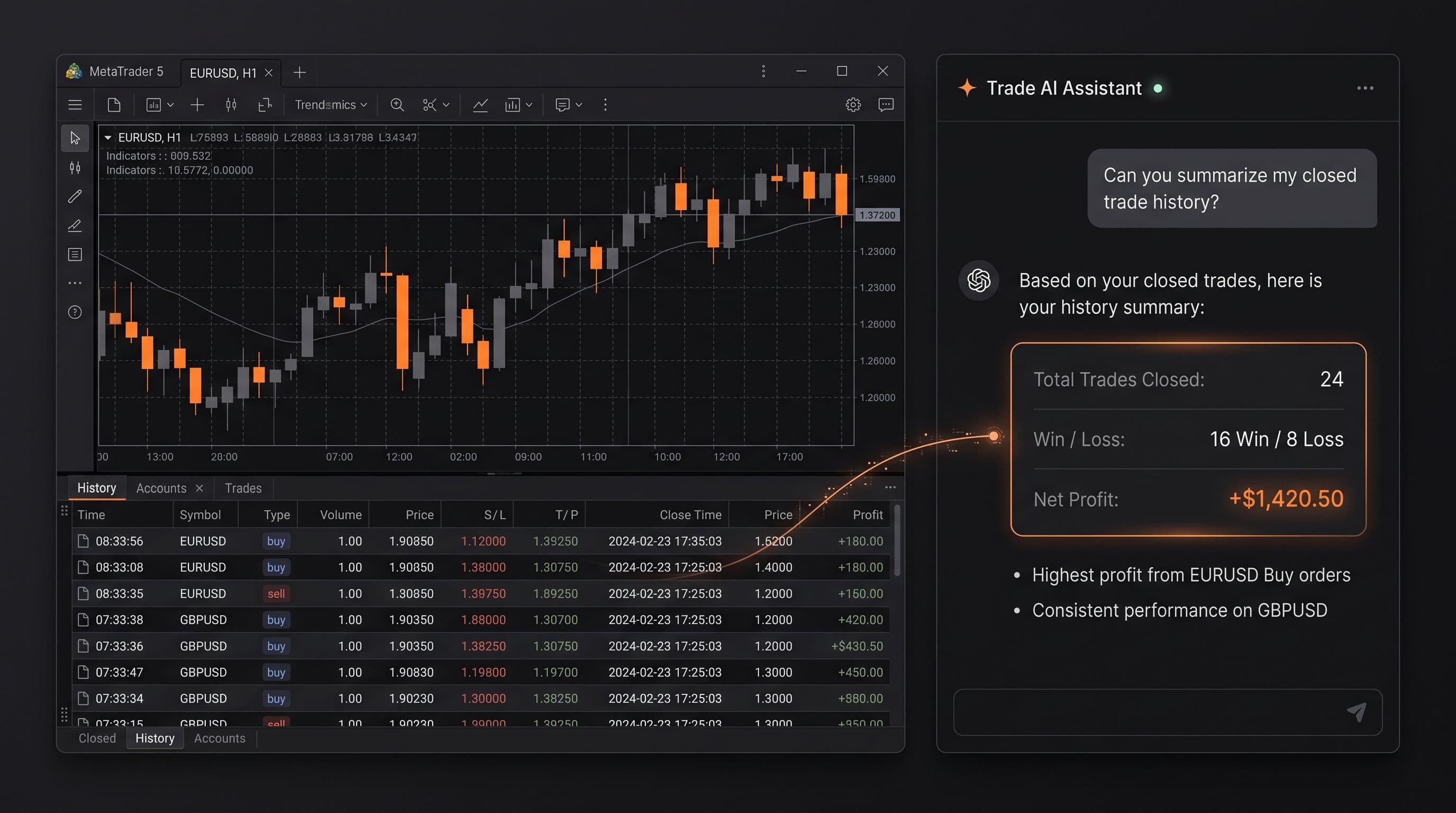
Here's what changes that equation if you trade on MT5. Your broker already holds every trade you've ever placed: entry, exit, symbol, volume, time, profit and loss, already complete, already sitting there. Connect an AI assistant to that account through MCP (Model Context Protocol) and you're not importing anything into a separate journal. You're asking questions directly of data that already exists. The journal isn't a product you subscribe to. It's a conversation you have with an account you already own. LTI's MT5 MCP page explains the connection this guide builds on.
- Where the data lives: Paid trading journal (TradeZella, TradesViz, TraderSync, Journali): A separate platform you upload to | AI journal via MCP: Your MT5 account, where it already is
- Getting started: Paid trading journal (TradeZella, TradesViz, TraderSync, Journali): Export and import your history, then tag trades | AI journal via MCP: Connect an assistant once, then ask
- Cost: Paid trading journal (TradeZella, TradesViz, TraderSync, Journali): Monthly subscription, typically $20 to $80 depending on the plan | AI journal via MCP: No extra subscription, it runs on the account you already have
- Best for: Paid trading journal (TradeZella, TradesViz, TraderSync, Journali): Dedicated dashboards, manual annotation, screenshots, community benchmarks | AI journal via MCP: Fast, flexible questions in plain English, no import step
- Update cycle: Paid trading journal (TradeZella, TradesViz, TraderSync, Journali): As current as your last import or sync | AI journal via MCP: As current as your trade history, because it's the same data
Key Takeaways: • Paid trading journals like TradeZella, TradesViz, TraderSync and Journali charge a monthly subscription and require you to import or sync your trade data before they can analyse it. • MT5 already stores your complete trade history: symbol, time, volume, profit and loss, with nothing to export. • Connecting an AI assistant through MCP lets you ask that history direct questions (win rate by symbol, by session, by setup, drawdown patterns, consistency over time) with no import step. • This works best as a way to see what already happened, not what to trade next. The assistant reads your history, you decide what to do with it. • Dedicated journal apps still do some things better: dashboards designed specifically for journaling, manual trade tagging and screenshots, and community benchmarks. Weigh that against the cost and import routine. • Trading involves real risk of loss. Read the full risk disclosure further down before you start.
What Paid Trading Journals Actually Do Well
It's worth being fair to TradeZella, TradesViz, TraderSync and Journali. They didn't get thousands of paying users by accident. Each gives you a dedicated interface built around trading: a calendar view of daily profit and loss, drag and drop screenshot annotation on individual trades, a notebook for your reasoning behind a setup, and reports that slice your history many different ways. TraderSync and TradeZella both add trade replay, a slow motion playback of the chart around your entry and exit, something no chat based assistant currently reproduces. TradesViz leans into raw statistical depth, publishing well over one hundred charts and metrics out of the box, and Journali focuses on futures and prop firm traders, with goal tracking and prop firm rule modes built around that audience.
All four also let you manually tag setups (breakout, reversal, news trade, or whatever taxonomy you use) and attach notes and screenshots to individual trades, something a broker's raw trade history was never built to capture. What they share is the business model: a monthly subscription, typically $20 to $80 depending on the plan and billing cycle, and a requirement to get your data into their system before any of it works. TradeZella currently offers no free plan. TradesViz, TraderSync and Journali each offer a limited free tier, but deeper analytics and full history sit behind the paid plans.
The Catch: A Subscription and an Import Routine
None of this is a criticism of the products themselves. It's a structural fact about where the data starts. Your trade history is born on your broker's servers, not inside TradeZella or TraderSync. Getting it into any of those tools means connecting a supported broker sync where one exists, or exporting a CSV, mapping the columns, and waiting for the platform to process it, every time you want the journal current.
Miss a week of imports and your win rate by symbol, your drawdown chart and your consistency stats are all quietly out of date until you catch up. None of that is a flaw exactly. It's the natural cost of building a journal as a separate product that has to reach across a wall to get your data. The real question is whether that wall needs to exist for an MT5 account at all.
Why Your Broker Already Has Everything a Journal Needs
MetaTrader 5 already keeps a complete record of every deal on your account: the symbol, the open and close time, the volume, the price, the profit or loss, the commission and swap, and which order it closed against. That's not a simplified export. It's the same underlying data any journal product asks you to upload, except it never left the account in the first place.
What changed recently is how you get to that data without clicking through reports by hand. MCP lets an AI assistant such as Claude or ChatGPT connect directly to your MT5 terminal and read that trade history on request, alongside your open positions and account state. The prompt library in Ask Your Account Anything: 20 Prompts for Reviewing Your Own Trading is the fastest way to see what a single question against that data actually looks like once the connection is live.
Once that connection exists, the journal isn't a place you go and paste data into. It's a set of questions you ask an assistant that already has the answer sitting in your account: what's your win rate on GBPUSD versus EURUSD, how results during the London session compare with New York, which tagged setups actually make money once the losers are counted, and what your drawdown curve looks like over the last three months. None of that needs an export, a sync, or a second subscription, because the data never left in the first place.
How to Build It, Step by Step
Building this journal takes minutes, not a setup project. Here's the actual sequence.
- 1.Connect an AI assistant to your MT5 account through MCP. This is a one time step: your assistant needs read access to your trade history and account data. Scope that access deliberately, and start on a demo account if this is new to you.
- 2.Ask for the raw shape of your history first. Before any analysis, ask something like "how many trades have I closed in the last 90 days, and on which symbols." This confirms the assistant can see your full deal history before you build anything on top of it.
- 3.Break win rate down by symbol, session and setup. Ask your assistant to group your closed trades by instrument, then by the trading session they were opened in (Asian, London, New York), and separately by whatever tag or setup name you already use. Patterns that feel true from memory often look different once every trade is actually counted.
- 4.Ask about drawdown, not just profit. Win rate alone hides how painful the losing stretches were. Ask for the largest drawdown by balance, how long it took to recover, and whether losing streaks cluster around particular symbols, sessions or times of day.
- 5.Check consistency over time, not just the total. A profitable three months can hide one exceptional week doing most of the work. Ask your assistant to break results down by month or by week, so you can see whether an edge is holding steady or drifting.
- 6.Turn it into a routine, not a one time report. The advantage over a paid journal isn't just a free first look, it's that asking again next month costs nothing and needs no reimporting. Come back on a schedule and ask the same questions against a longer history.
None of these steps produce a recommendation about what to trade next. They describe what already happened in your account. What you do with that pattern, whether you adjust position sizing, avoid a particular session, or keep trading exactly as you are, is your decision, not the assistant's.
The Assistant Reads. You Decide.
It's worth being direct about what this setup is and isn't. An AI assistant connected through MCP can read your trade history and describe patterns in it clearly and quickly. It cannot, and shouldn't be treated as if it can, tell you what to trade next. The strongest use of this setup is retrospective: understanding what your history actually shows, not generating a forecast or a signal.
This mirrors how LTI already describes AI and MT5 more broadly: the strongest trading setup is not the one with the most automation, it's the one you can understand, test, monitor and control. An AI trading journal built this way is a tool for seeing your own trading more clearly. It doesn't remove your responsibility for the trades you place, and it isn't a substitute for your own judgment about risk.
Risk disclosure: Trading in foreign exchange (forex), contracts for difference (CFDs), and other leveraged financial instruments involves a high degree of risk and may not be appropriate for all investors. You should only trade with funds that you can afford to lose without adversely affecting your financial position. No AI tool, including any assistant connected through MCP, is a guaranteed forex trader or capable of trading independently of you.
Where Paid Journals Still Make Sense
None of this makes TradeZella, TradesViz, TraderSync or Journali pointless. If you want a visual dashboard you can open without asking a question first, drag and drop markup on individual chart entries, a benchmark against other traders' stats, or a mobile app built around journaling, a paid product is still the better fit, and worth the subscription. Several also support multiple brokers and asset classes side by side in a single dashboard, useful if you trade across more than one account or platform.
This approach is strongest for traders who want fast, plain English answers about a single MT5 account, without paying monthly for a separate platform or an import routine to keep current. Plenty of traders will use both: a paid journal for visual review and notes, and an AI assistant for quick questions in between.
FAQ
Do I need to give up my existing trading journal to try this?
No. Connecting an AI assistant to your MT5 account through MCP doesn't touch or replace whatever journal you already use. It's a separate way of asking questions against your trade history, and there's nothing stopping you from doing both.
Can the AI assistant place trades based on what it finds?
Only if you've explicitly configured it to, and that isn't the starting point LTI recommends. By default, an MCP connection should be scoped to reading your data, not acting on it. Granting order placement permissions is a separate, deliberate decision, not something that happens automatically.
Is the data as detailed as what TradeZella or TraderSync show me?
The underlying trade data (symbol, time, volume, profit and loss) is the same data those platforms ask you to import, because it comes from the same source: your broker's trade history. What you get natively is that data on request. What you don't get natively is their dedicated charts, manual annotation tools and visual dashboards, since those are built on top of the data, not the data itself.
Next Steps
You don't need a new subscription to start reviewing your trading properly. You need a connection to the account you already have and a few honest questions. Start with the prompt library in Ask Your Account Anything: 20 Prompts for Reviewing Your Own Trading if you want a ready made place to begin.
Ready to see what your own history says? [Start journalling on your LTI account] and ask your first question today.
*This article is general information about CFDs, leveraged products and instruments, and trading. It is not investment advice, a recommendation, or an offer to trade, and it does not take account of your objectives, financial situation or needs. Refer to the footer for the full disclaimer, terms and policies.
Related Articles
Ask Your Account Anything: 20 Prompts for Reviewing Your Own Trading
20 copy and paste prompts to analyse your trades with AI, covering losses, position sizing, session timing, strategy consistency, and trade management.
Read Article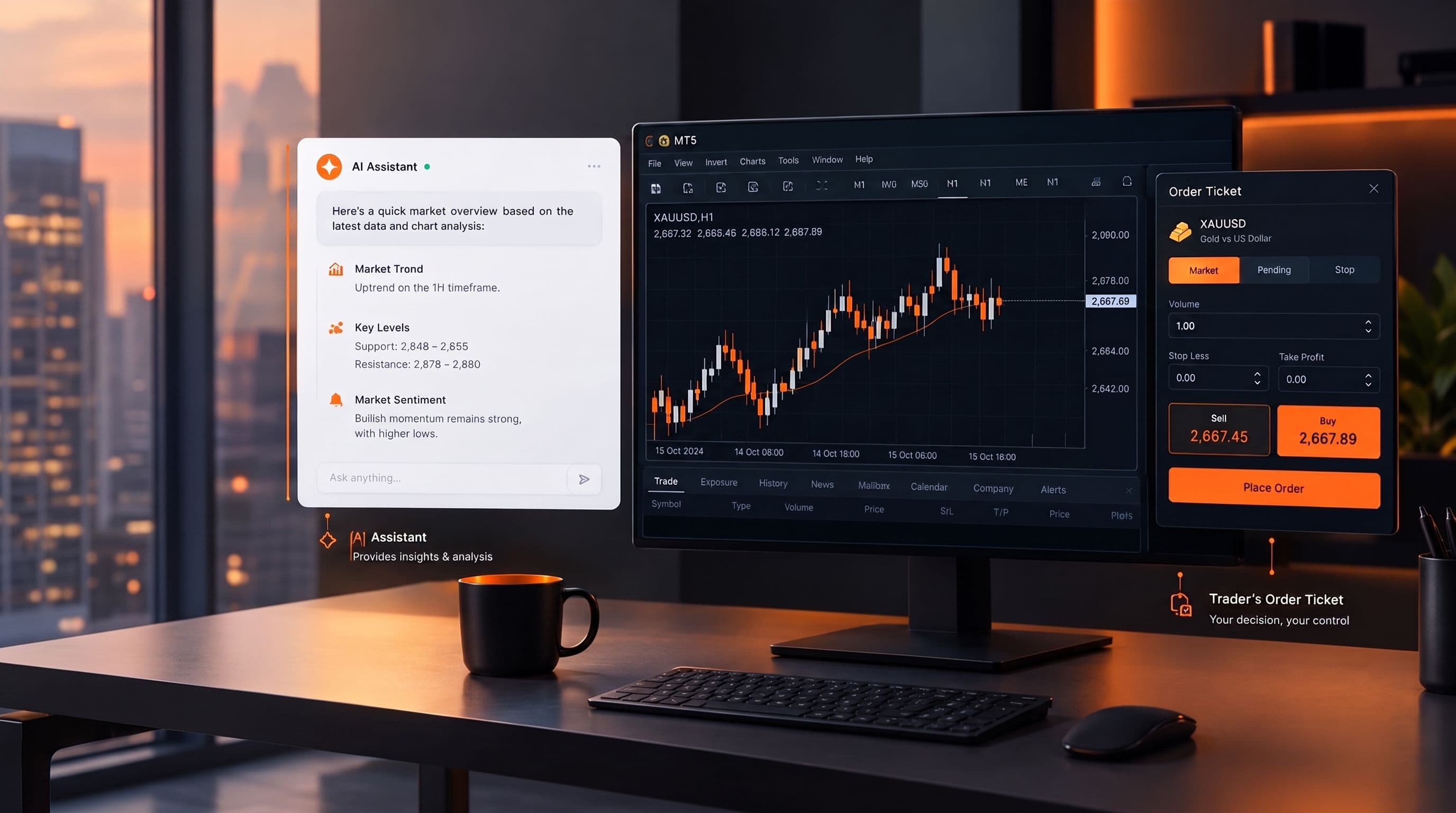
Can AI Actually Trade For You? What MCP Does and Doesn't Do
No, an AI assistant can't trade for you on its own. Here's what it can read, what it needs explicit permission to do, and why the decision stays yours.
Read Article
AI Trading Assistant vs AI Trading Bot: The Difference That Matters
An AI trading bot runs a strategy on its own. An AI trading assistant reads your account and answers questions, but only acts if you explicitly let it. Here is why mixing the two up is risky.
Read ArticleCreate Your Account
Account opening happens in the client area, and takes a couple of minutes.
*Opening an account finishes in the secure client area, where these details carry across. Already registered? Sign in, or talk to us first.
CFDs are complex instruments and come with a high risk of losing money rapidly due to leverage. 73% of retail investor accounts lose money when trading CFDs. You should consider whether you can afford to take the high risk of losing your money.