
What Is MetaTrader 5? A Practical Guide to the Platform's Core Features
MetaTrader 5 is a widely used third party trading platform, not an LTI product. Here is what its charts, orders, multi asset support, and automation tools actually offer.
By LTI BLOG Team
What Is MetaTrader 5? A Practical Guide to the Platform's Core Features
MetaTrader 5 (MT5) is a trading platform built by MetaQuotes Software, not a product any individual broker designs from scratch. Brokers, including London Trading Index, license the terminal and connect it to their own pricing and account infrastructure, then offer it to clients under their own branding. Understanding where the software's features end and a broker's own setup begins helps you judge what you are actually getting before committing real funds to an account.
This guide covers what MT5 itself provides: its charting tools, order types, market data, multi asset support, and automation features, along with why most brokers now set new accounts up on MT5 rather than its predecessor, MT4. It stays focused on the platform's core mechanics rather than any single trading strategy or third party integration.
Key Takeaways: • MT5 is third party software built by MetaQuotes. Brokers, including LTI, license it and connect it to their own price feed and account systems rather than building it themselves. • MT5 became MetaQuotes' main development focus over MT4, adding more timeframes, more order types, and native netting and hedging accounting modes. • The platform covers forex alongside CFDs on other asset classes, with the actual instrument list depending on what a specific broker connects to its servers. • You can place market orders and six types of pending orders directly from the terminal, each with optional stop loss and take profit levels attached. • MT5 runs on desktop, mobile, and web, and supports automated strategies through Expert Advisors written in the MQL5 language.
Risk disclosure: Trading in foreign exchange (forex), contracts for difference (CFDs), and other leveraged financial instruments involves a high degree of risk and may not be appropriate for all investors. You should only trade with funds that you can afford to lose without adversely affecting your financial position.
What MetaTrader 5 Actually Is
MetaTrader 5 is a trading terminal developed by MetaQuotes Software, a company that licenses the platform to brokers around the world rather than operating as a broker itself. When you open an MT5 account with a broker, you are using the same core software that thousands of other brokers also offer, connected to that particular broker's own servers and pricing.
This differs from a broker building its own web platform from the ground up. MT5 arrives with a fixed set of tools, established behavior, and a large third party ecosystem of custom indicators and scripts that independent developers have built over the platform's lifetime. A broker can adjust color schemes or wrap a client portal around it, but the core trading engine works the same way wherever you use it.
That consistency has a practical upside. What you learn on one broker's MT5 setup generally transfers to another, since the order window, charting menus, and indicator library stay largely the same from broker to broker.
Why Do Brokers Use MetaTrader 5 Instead of MetaTrader 4?
MetaQuotes still supports MetaTrader 4, but its ongoing platform development has focused on MT5 for years now, which is the main reason most brokers, LTI included, set new accounts up on MT5 rather than MT4. The two platforms share a similar look, but MT5 extended the feature set in several concrete ways.
- Timeframes: MetaTrader 4: 9 | MetaTrader 5: 21
- Pending order types: MetaTrader 4: 4 | MetaTrader 5: 6
- Position accounting: MetaTrader 4: Hedging only | MetaTrader 5: Hedging or netting, set per account
- Depth of Market: MetaTrader 4: Not available | MetaTrader 5: Available, depending on broker liquidity
- Built in economic calendar: MetaTrader 4: Not available | MetaTrader 5: Available
- Programming language: MetaTrader 4: MQL4 | MetaTrader 5: MQL5, a more advanced, object oriented language
Neither platform is inherently more profitable to trade on. The practical difference is depth: MT5 gives you more order types, more timeframes, and native access to instruments beyond forex and CFDs, such as stocks and futures where a broker's setup supports them. See LTI's trading conditions for the specific spreads, commissions, and instrument list tied to each account type.
What You Can Trade: MT5's Multi Asset Support
MT5 is not limited to forex. The platform natively supports trading across several asset classes, including forex pairs, CFDs on stock indices, commodities, individual shares, and, depending on the broker's setup, futures contracts. Which instruments actually appear in your Market Watch window depends entirely on what your broker connects to its servers, not on the software itself.
London Trading Index connects MT5 to its own multi asset offering. See LTI's market coverage for the current list of tradable instruments across forex, indices, commodities, and shares.
This multi asset design is one reason brokers favor MT5 for new account setups. A single terminal can cover a client's full range of markets, rather than requiring separate platforms for different instrument types.
How the Charting Tools Work
MT5 gives you charts across 21 timeframes, from one minute bars up to monthly charts, along with three chart types: line, bar, and candlestick. You can open multiple charts at once, arrange them in different window layouts, and switch an individual chart's timeframe without losing your other analysis.
The platform includes technical indicators and analytical objects covering trend, oscillator, volume, and Bill Williams categories, plus tools for drawing trendlines, channels, and Fibonacci levels directly on the chart. You can add custom indicators too, most commonly written in MQL5, if the built in library does not cover what you are looking for.
[IMAGE: A MetaTrader 5 chart window showing candlestick price action with a moving average indicator and a drawn trendline overlay - search terms: MT5 candlestick chart technical indicators]
This depth is one of the clearer differences between MT5 and a basic web trading widget. A widget built for simplicity typically offers one or two chart types and a handful of indicators. MT5 provides the full toolkit, at the cost of a steeper learning curve the first time you open it.
Order Types and Trade Management
MT5 supports market orders, which execute at the current price, alongside six pending order types that trigger only once price reaches a level you set:
- Buy Limit and Sell Limit, for entering once price pulls back to a better level
- Buy Stop and Sell Stop, for entering once price breaks through a level
- Buy Stop Limit and Sell Stop Limit, which combine a trigger price with a separate limit price
Every order, market or pending, lets you attach a stop loss and take profit level at the time you place it, or add them afterward from the open positions window. MT5 also includes a trailing stop feature, which moves your stop loss automatically as a trade moves in your favor, though it only runs while the terminal stays connected to the server.
Because MT5 accounts commonly use leverage, a small deposit can control a larger position size. As an illustration only, 1:100 leverage means $1,000 of margin could control a $100,000 position, which magnifies both potential gains and potential losses in equal measure.
How Market Watch and the Price Feed Work
Market Watch is the window in MT5 that lists every instrument available on your account, showing live bid and ask prices that update as the broker's feed changes. You can right click to add or remove symbols, and drag a symbol onto a chart to open it for analysis.
For some instruments, MT5 also offers a Depth of Market view, showing multiple price levels rather than just the single best bid and ask, though how much detail is available depends on the broker's liquidity setup. The price feed always reflects that broker's own pricing and liquidity arrangements rather than one universal market price shared by every provider.
[IMAGE: The MetaTrader 5 Market Watch panel listing several forex pairs with live bid and ask price columns - search terms: MT5 market watch forex bid ask prices]
This is another area where MT5 goes beyond a simple widget. A basic web widget often shows only a last traded price with a delay. MT5's Market Watch updates continuously and feeds live prices directly into your charts and order tickets.
MT5 Across Desktop, Mobile, and Web
MT5 is available as a desktop application for Windows and macOS, a mobile app for iOS and Android, and a web terminal that runs in the browser with no download required. Positions, pending orders, and account history sync across all three, so a trade you open on desktop shows up on your phone a moment later.
That sync matters most if you check positions between devices during the day. You are not limited to whichever computer had the terminal installed when you opened a trade.
Expert Advisors, Indicators, and the MQL5 Ecosystem
The feature that most clearly separates MT5 from a simple trading widget is its support for Expert Advisors, or EAs. These are automated trading programs written in MQL5 that scan the market and place, modify, or close orders according to rules their developer coded, running continuously without you manually clicking each trade.
The MQL5 ecosystem extends beyond EAs to custom indicators, scripts, and a large library of both free and paid tools built by independent developers over the platform's lifetime. See LTI's trading automation page for how automated strategies work on LTI's own MT5 setup.
Because EAs need the terminal to stay connected and running to work as intended, many brokers, including LTI, offer optional VPS hosting, which keeps a copy of the terminal running in a data center around the clock rather than depending on your own computer's connection. This is optional infrastructure, not a guarantee of any particular trading outcome. It simply keeps an EA operating regardless of your own internet connection or power supply.
Since build 6060, MT5 also has native support for connecting external AI assistants like Claude or ChatGPT through MCP (Model Context Protocol), alongside a separate built in AI assistant tied to your MQL5.community account. MT5's own permission settings control whether a connected assistant can only read your data or also place trades, and no AI tool connected this way is a guaranteed forex trader or capable of trading your account without your involvement. That setup is a distinct, more involved topic on its own. See How to Enable Native MCP in MetaTrader 5 for the full walkthrough if you want to connect an assistant to your terminal. For the shorter overview, see LTI's MT5 MCP server page.
Where MT5 Fits at London Trading Index
London Trading Index offers MetaTrader 5 across both its Core and ECN account types, connected to LTI's own pricing and execution infrastructure. The MT5 platform page covers the specific setup, including desktop and mobile download links, for traders who want to see how the platform is configured on LTI's servers. Account minimums, spreads, and commission structures differ between Core and ECN. See LTI's account types for a full comparison before choosing one.
MT5's tools do not change the underlying risk of trading forex and CFDs on leverage. Losses can exceed your initial deposit, and the platform's feature set does not determine whether a specific strategy succeeds. Practicing on a demo account before risking real funds is a reasonable way to get familiar with the platform's mechanics without financial exposure.
Frequently Asked Questions
Is MetaTrader 5 free to use?
Yes, generally. Brokers typically do not charge separately for the MT5 terminal itself. Your costs come from spreads, commissions, and any swap or overnight financing charges tied to your account type and trades, not from a software license fee.
Can I trade on MetaTrader 5 from my phone?
Yes. The MT5 mobile app for iOS and Android mirrors most of the desktop terminal's functionality, including charting, order placement, and account monitoring. It syncs positions and history with the desktop and web versions in real time.
What's the difference between MetaTrader 5 and MetaTrader 4?
MT5 offers more timeframes, more pending order types, native support for both hedging and netting accounting, and built in tools like Depth of Market and an economic calendar that MT4 does not have natively. MetaQuotes has focused its platform development on MT5 for years, which is why LTI and most other brokers set new accounts up on MT5 rather than MT4.
Does using MetaTrader 5 mean I will trade more successfully than on a simpler platform?
Not necessarily. MT5 gives you more tools and more control over order types and analysis, but the platform itself does not determine whether a strategy is sound or whether the market moves in your favor. More tools mean more to learn, not a shortcut to consistent results.
Next Steps
MT5's charts, order types, and automation tools are the mechanics of the platform, not a strategy in themselves. If you are new to the terminal, start on a demo account and get comfortable with the order window and chart layout before connecting anything else to it, including an EA or an AI assistant.
Ready to see the platform for yourself? Open an LTI account and test MT5 on a demo before funding it live.
*This article is general information about CFDs, leveraged products and instruments, and trading. It is not investment advice, a recommendation, or an offer to trade, and it does not take account of your objectives, financial situation or needs. Refer to the footer for the full disclaimer, terms and policies.
Related Articles
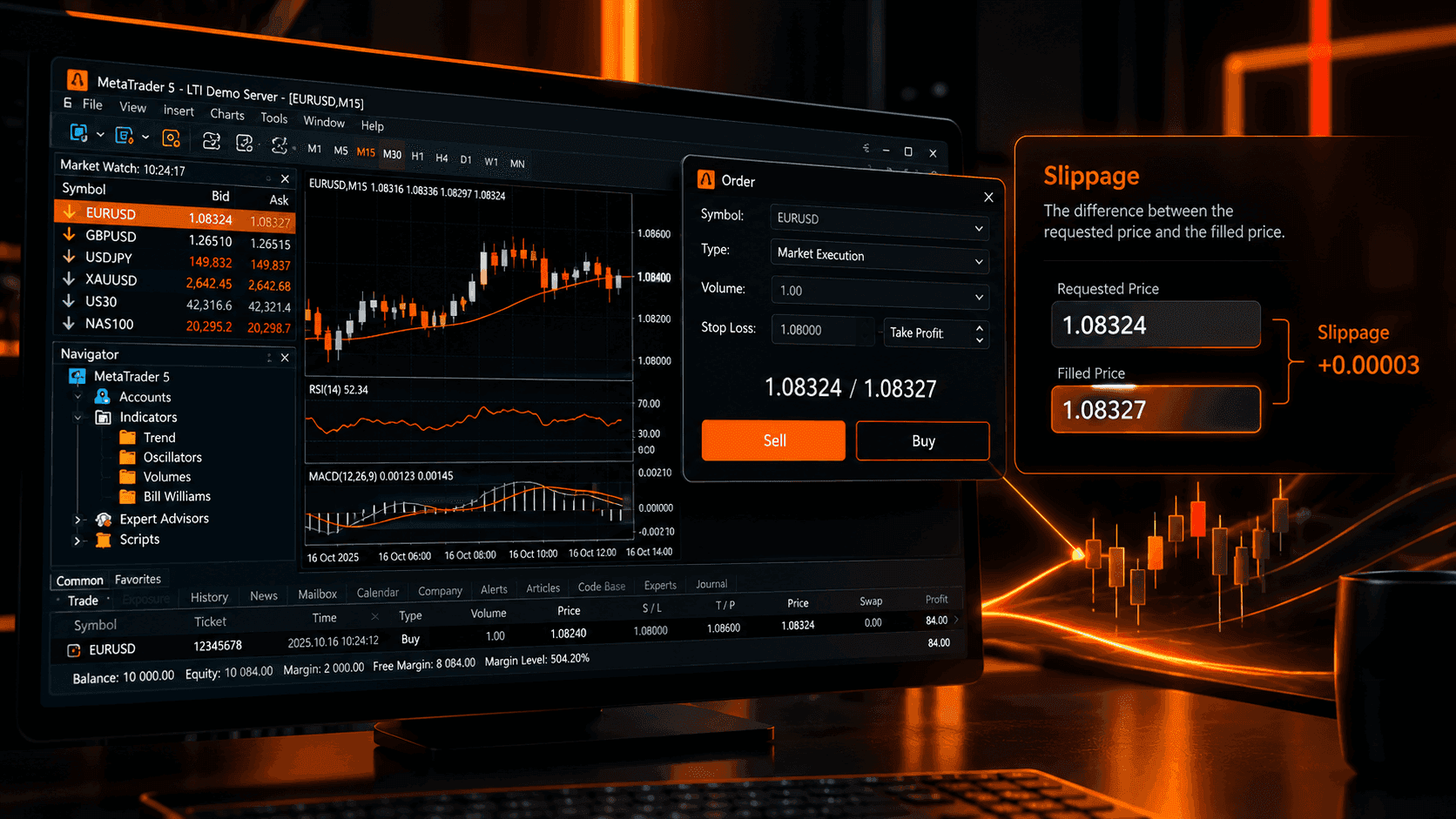
What Slippage Is and When It's More Likely to Happen
Slippage happens when price moves between order and execution, not broker manipulation. Here's when it's more likely and how it can cut both ways.
Read Article
VPS Hosting for MT5: Who Actually Needs It?
A VPS keeps MT5 running when your computer or internet can't. Here's who actually benefits and who's paying for hosting they don't need.
Read ArticleMT5 Order Types Explained: Market, Limit, and Stop Orders
Market orders fill instantly, but limit and stop orders don't guarantee an exact price. Here's how each MT5 order type works and when to use it.
Read ArticleCreate Your Account
Account opening happens in the client area, and takes a couple of minutes.
*Opening an account finishes in the secure client area, where these details carry across. Already registered? Sign in, or talk to us first.
CFDs are complex instruments and come with a high risk of losing money rapidly due to leverage. 73% of retail investor accounts lose money when trading CFDs. You should consider whether you can afford to take the high risk of losing your money.