
MT5 Order Types Explained: Market, Limit, and Stop Orders
Market orders fill instantly, but limit and stop orders don't guarantee an exact price. Here's how each MT5 order type works and when to use it.
By LTI BLOG Team
MT5 Order Types Explained: Market, Limit, and Stop Orders
A market order in MetaTrader 5 executes immediately at whatever price is currently available, a limit order only fills at a price you specify or better, and a stop order sits inactive until the market reaches a trigger level you set. Which one you reach for usually depends on whether you want to get into a trade right now or wait for the market to come to you.
None of the three guarantees a specific outcome. A market order can fill at a slightly different price than the one you saw on screen, and limit and stop orders can be skipped over entirely in a fast moving market. Understanding how each type actually behaves generally matters more than memorizing the definitions.
- When it executes: Market Order: Immediately, at the best available price | Limit Order: Only at your specified price or better | Stop Order: Only after price reaches your trigger, then as a market order
- Price certainty: Market Order: No, price can move between your click and the fill | Limit Order: Yes, fills at your price or better, or not at all | Stop Order: No, once triggered it fills at the next available price
- Timing certainty: Market Order: Yes, executes right away | Limit Order: No, may never fill if price doesn't reach your level | Stop Order: No, may never trigger if price doesn't reach your level
- Typical use: Market Order: Entering or exiting a position right now | Limit Order: A planned entry at a specific price, such as a pullback | Stop Order: Breakout entries and protective stop losses
Key Takeaways: • Market orders execute right away at the current price. You get speed, not price certainty. • Limit orders only fill at your specified price or better. They control price but not timing, and may never fill. • Stop orders activate once price reaches a trigger level, then execute as a market order. They're commonly used for stop losses and breakout entries. • Buy limit and sell limit orders sit on the side of the market expecting a pullback; buy stop and sell stop orders sit on the side expecting continuation. • In fast moving markets, limit and stop orders can still fill away from the exact trigger price because of slippage.
Risk disclosure: Trading in foreign exchange (forex), contracts for difference (CFDs), and other leveraged financial instruments involves a high degree of risk and may not be appropriate for all investors. You should only trade with funds that you can afford to lose without adversely affecting your financial position.
How Market Orders Work in MT5
A market order tells MT5 to buy or sell right away at the best available price, rather than waiting for a specific level to be reached. You click buy or sell, and the platform sends the order for execution against the current bid or ask.
Say EUR/USD is quoted around 1.0850. If you place a market buy, the order will generally fill close to that price, but not necessarily at that exact tick. Prices move continuously, and the time between your click and the order reaching the server, however small, is enough for the quote to shift.
Traders tend to use market orders when they want exposure immediately, whether that's reacting to a headline, closing a position quickly, or simply not wanting to wait. The compromise is that you're accepting whatever price is on offer at that moment, rather than choosing it in advance.
That compromise gets bigger during fast markets. Around major news releases, spreads can widen and prices can move several pips in the time it takes an order to reach the server, so a market order placed in the middle of a data release can fill noticeably further from the last quoted price than the same order would in calm conditions. This isn't unique to any single broker or platform; it's a function of how liquidity behaves when everyone wants to trade at once.
How Limit Orders Work (Buy Limit and Sell Limit)
A limit order only executes at your specified price or a better one, which lets you set an entry level in advance rather than watching the screen for it. In MT5, this comes in two directions depending on whether you're planning to buy or sell.
A buy limit sits below the current market price. If EUR/USD is trading at 1.0850 and you think it might dip to 1.0800 before continuing higher, you could place a buy limit at 1.0800. The order stays pending until price reaches that level, then fills at 1.0800 or lower, never higher.
A sell limit works the other way, sitting above the current price. Using the same hypothetical, a sell limit at 1.0900 would only trigger if price rose to that level, and it would fill at 1.0900 or better. The obvious limitation with either version is that if price never reaches your level, the order simply never fills.
Limit orders suit traders who have a specific price in mind and are willing to wait for it, rather than chasing the market at whatever level it happens to be. In MT5, a pending limit order can also be set with an expiration, so it's worth deciding whether you want it to stay active until you manually cancel it or expire automatically after a set time. An order left active with no expiration can still be sitting there weeks later if you forget about it, which is worth checking periodically rather than assuming it disappeared on its own.
How Stop Orders Work (Buy Stop and Sell Stop)
A stop order stays dormant until price reaches a trigger level, at which point it turns into a market order and executes at the next available price. This mechanic is generally used for two purposes: breakout entries and stop losses.
A buy stop sits above the current price and is common when a trader expects momentum to continue once a level breaks. With EUR/USD at 1.0850, a buy stop at 1.0900 would only activate if price actually climbed to 1.0900, on the idea that a break higher tends to keep going.
A sell stop sits below the current price and works the same way in reverse, often used for downside breakout entries. It's also the same mechanic behind a stop loss attached to an open long position: once price falls to your chosen level, the stop triggers and closes the trade at the next available price rather than at a guaranteed exact figure.
MT5 also supports a trailing stop, which is a stop order that automatically moves in your favor as a trade becomes profitable, without moving against you. It still follows the same underlying mechanic: once price reaches the current trigger level, it closes the trade as a market order. The next section covers how stop loss and take profit orders attach to a trade you've already opened, rather than being placed as a standalone pending order.
Stop Loss and Take Profit: How Pending Orders Attach to an Open Trade
A stop loss and a take profit are the same mechanics covered above, a stop order and a limit order, but attached directly to an open position rather than placed as a separate pending order. When you open a market order in MT5, the order ticket includes optional stop loss and take profit fields, and setting them there attaches both to the trade the moment it opens.
The stop loss is a stop order: it sits below your entry on a long position, or above it on a short position, and closes the trade if price moves against you far enough to reach it. The take profit is a limit order: it sits on the favorable side of your entry and closes the trade if price reaches your target. Both can also be added, changed, or removed after the trade is open, from the same Trade tab where you manage other positions.
It's worth being clear about what a standard stop loss does and doesn't guarantee. Like any stop order, it can still experience slippage in fast or gapping markets, closing the trade at a worse price than the level you set rather than exactly at it. A standard stop loss is not the same thing as a guaranteed stop, which some brokers offer as a separate feature, often at an added cost, that fixes the exit price regardless of how the market moves.
For traders running automated strategies, stop loss and take profit levels are typically set programmatically rather than clicked in by hand, but the underlying execution mechanics are identical. See Trading Automation for how automated and manual order placement fit together on the same account.
Why the Fill Price Isn't Always What You Expected
Reaching a limit or stop level doesn't guarantee you'll be filled at that exact price, because markets don't always move in orderly, tradeable increments. During fast conditions, such as around news releases or when liquidity is thin, price can gap or jump past a level before an order actually executes.
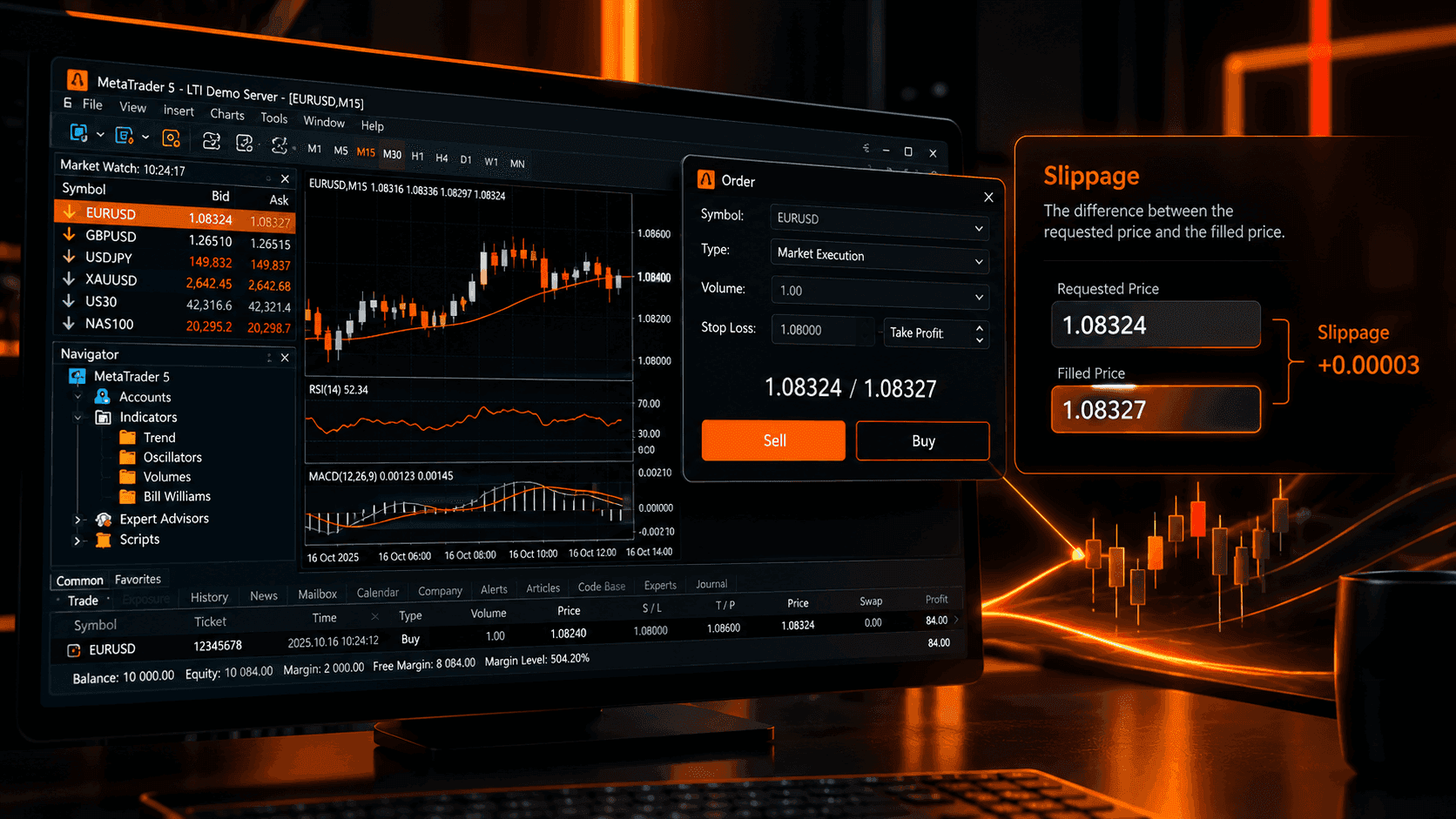
For limit orders, the protection works in your favor: MT5 won't fill you at a worse price than the one you set, it will simply not fill at all if the market skips past your level. For stop orders, it works the other way. Once triggered, a stop becomes a market order, and it fills at the next available price, which can be worse than the trigger level in volatile conditions. This gap between expected and actual price is generally called slippage, and it affects market orders too, just without a specific trigger price to compare against.
[IMAGE: A simple price chart diagram showing buy limit and sell stop orders placed below the current price line, and sell limit and buy stop orders placed above it - search terms: forex pending order price levels diagram, trading order placement chart]
Common Order Type Mistakes to Avoid
A few mistakes come up repeatedly with pending orders, and most of them are about the mechanics above rather than market prediction.
- Placing a stop too close to the current price. A stop loss or breakout stop set just a few points from the market can get triggered by ordinary short term price movement, closing the trade before it has any real room to work.
- Mixing up the direction of a limit and a stop order. A buy limit sits below the market and a buy stop sits above it; the two are easy to confuse when placing an order quickly, and the wrong one can trigger at the opposite moment from what was intended.
- Ignoring the spread when placing a limit order close to price. The spread between the bid and ask can mean a limit order set very near the current price behaves differently from what the chart alone suggests, since the buy price and the sell price aren't the same number.
- Forgetting a pending order is still active. An order placed with no expiration can sit untouched for weeks and still trigger later, at a point where the original reason for placing it may no longer apply. Checking open and pending orders periodically, rather than only when a trade first goes on, avoids this.
- Assuming a stop loss is a guaranteed exit price. As covered above, a standard stop loss can still slip in fast markets. Treating the level you set as a target rather than a promise keeps expectations realistic.
Tools that surface this information automatically can help. For traders who want an assistant that can read open and pending orders without acting on the account independently, see How to Enable Native MCP in MetaTrader 5. LTI's MT5 MCP page shows what it can read, including your open positions.
Choosing the Right Order Type for the Trade You're Planning
The right order type usually depends on whether you're acting on current conditions or planning an entry or exit level in advance. Market orders suit a decision you want executed now. Limit orders suit a specific price target, like buying a pullback. Stop orders suit both breakout entries and protective exits.
In practice, many MT5 positions combine more than one mechanic: a market order to enter, with a stop loss (a stop order) and a take profit (a limit order) attached to manage the exit. Getting comfortable with how each type behaves is a matter of understanding execution mechanics, not a trading edge in itself.
It's worth being honest about what order types can and can't do for you. No combination of market, limit, or stop orders improves the odds of picking the right direction, and none of them turns a losing approach into a winning one. These tools control how and when a trade executes; they don't predict where price will go next.
Where to Manage Order Types on the MT5 Platform
Market, limit, and stop orders are all placed from the same order ticket in MetaTrader 5, with a dropdown that switches between instant execution and the pending order types covered above. This works the same way regardless of account tier. LTI offers two account types, Core (from a $50 minimum) and ECN (from a $500 minimum); see account types for the full comparison. The order ticket and available order types are identical between them. What differs is spreads and commission structure, covered on the trading conditions page.
Every order type carries the risk of loss, and pending orders in particular can execute at a materially different price than expected when markets move quickly around the trigger level. Trade only with capital you can afford to lose, and treat any price you set as a target rather than a guarantee.
[IMAGE: The MetaTrader 5 new order ticket with the type dropdown open, showing Market Execution, Buy Limit, Sell Limit, Buy Stop, and Sell Stop as selectable options - search terms: MetaTrader 5 order ticket screenshot, MT5 new order window]
Frequently Asked Questions
Do limit orders always fill at the exact price I set?
Not necessarily. A limit order will fill at your specified price or better, but if the market never trades at that level, it may not fill at all.
Is a stop order the same as a stop loss?
Generally yes, mechanically. A stop loss attached to an open position waits for a trigger and then executes as a market order, the same mechanic used by a standalone buy stop or sell stop order.
Can slippage happen on a market order too?
Yes. A market order fills at the next available price the moment it's sent, and in fast moving conditions that price can differ from the one displayed when you clicked.
Can I modify or cancel a pending order before it triggers?
Yes. A pending limit or stop order that hasn't triggered yet can be changed or deleted from the Trade tab in the MT5 Terminal window at any point before price reaches your level and it executes.
What happens if a pending order triggers but there isn't enough margin?
The trade can be rejected, or it can open with very little room left before a margin call, depending on how much free margin is available at the moment it triggers. Checking margin requirements before placing a pending order, not just after it triggers, avoids finding this out the hard way.
Next Steps
Market, limit, and stop orders aren't complicated once the mechanics are clear: one executes right away, one waits for a price, and one waits for a trigger before becoming a market order. What actually trips traders up is usually not the definitions but the details: an expiration setting left on default, the spread sitting near a limit price, or treating a stop loss as a guaranteed exit rather than a target.
It's worth spending time with the order ticket on a demo account before relying on pending orders in a live one. Understanding how each order type behaves is what makes the rest of a trading plan, entries, exits, and risk management, actually executable.
*This article is general information about CFDs, leveraged products and instruments, and trading. It is not investment advice, a recommendation, or an offer to trade, and it does not take account of your objectives, financial situation or needs. Refer to the footer for the full disclaimer, terms and policies.
Related Articles
What Slippage Is and When It's More Likely to Happen
Slippage happens when price moves between order and execution, not broker manipulation. Here's when it's more likely and how it can cut both ways.
Read Article
What Is MetaTrader 5? A Practical Guide to the Platform's Core Features
MetaTrader 5 is a widely used third party trading platform, not an LTI product. Here is what its charts, orders, multi asset support, and automation tools actually offer.
Read ArticleVPS Hosting for MT5: Who Actually Needs It?
A VPS keeps MT5 running when your computer or internet can't. Here's who actually benefits and who's paying for hosting they don't need.
Read ArticleCreate Your Account
Account opening happens in the client area, and takes a couple of minutes.
*Opening an account finishes in the secure client area, where these details carry across. Already registered? Sign in, or talk to us first.
CFDs are complex instruments and come with a high risk of losing money rapidly due to leverage. 73% of retail investor accounts lose money when trading CFDs. You should consider whether you can afford to take the high risk of losing your money.